HOW TO MAKE A CONCEPT MAP, THE MEANING OF READY-MADE MAPS AND THE PROGRAMS TO BUILD THEM.
A map must be simple, clear, readable to oneself and to others. For this reason, a good logical and graphical arrangement of concepts, both main and secondary, is important. After reading the study topic and underlining or highlighting the essential parts of the text, you can move on to drafting the concept map.
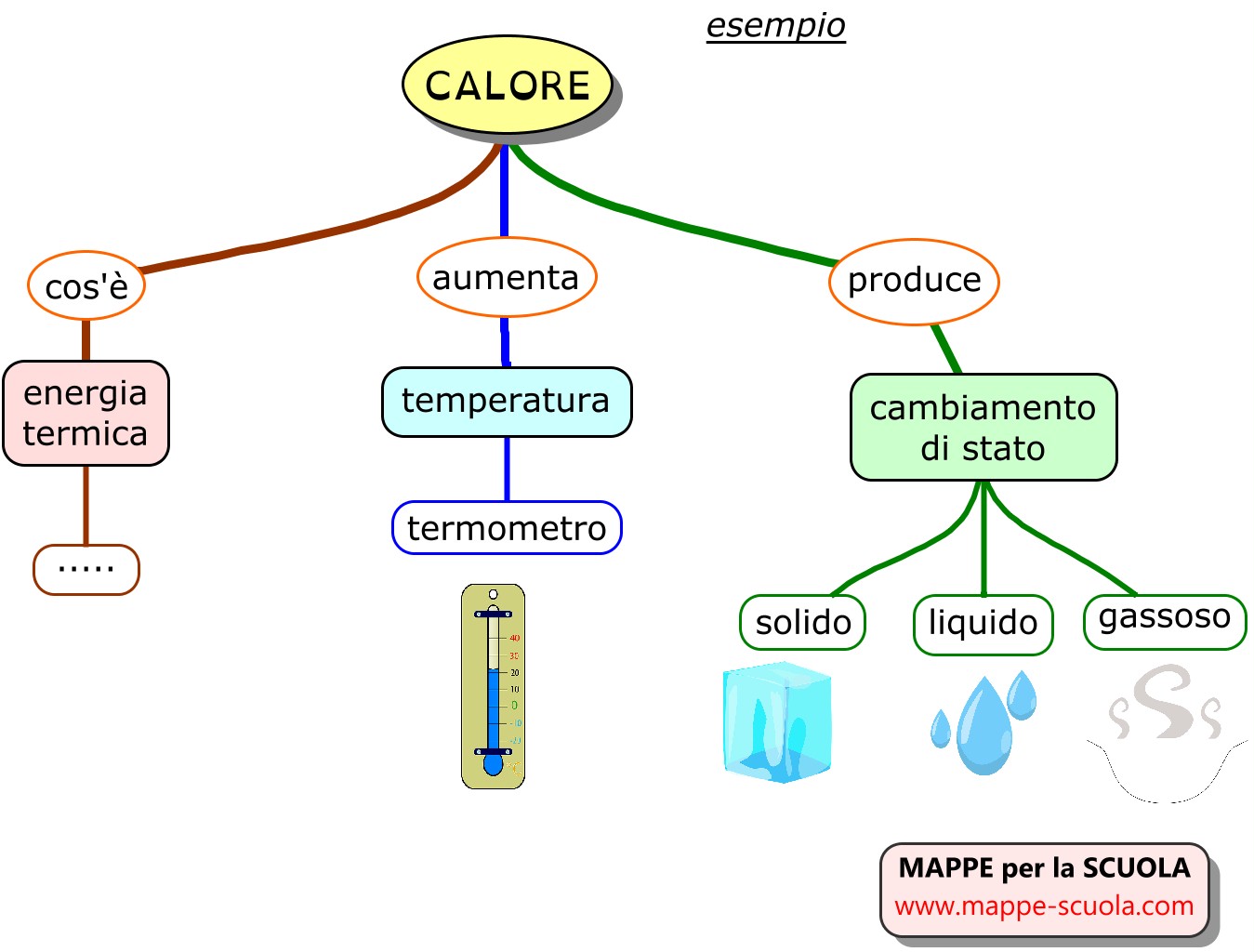
A) To make a concept map, it is first necessary to clearly identify the main concept (central theme);
B) Then write down the main concept at the top of the sheet.
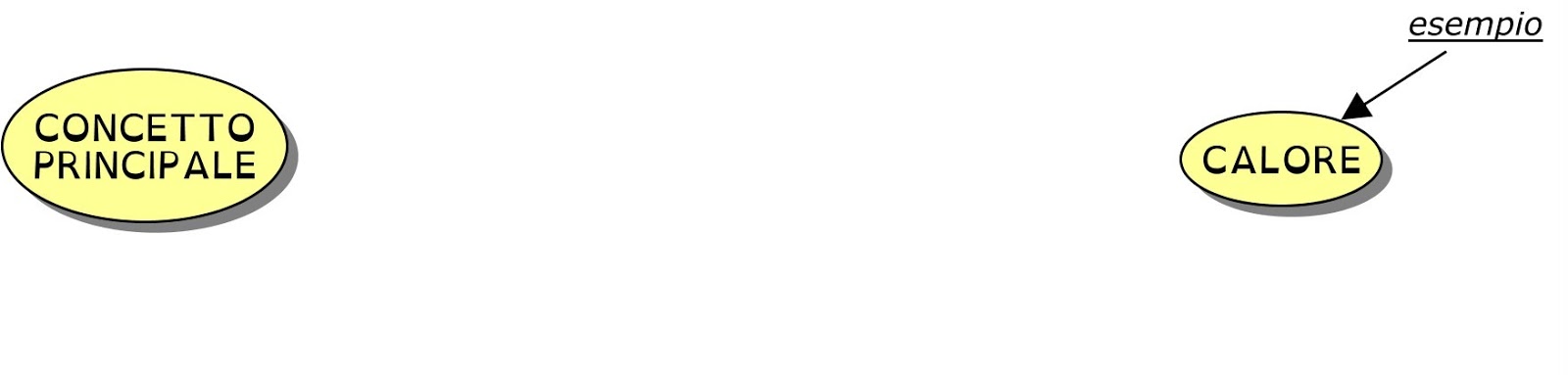
C) Write down the secondary concepts, preferably from top to bottom (example in the figure below: CONCEPT A, CONCEPT B)
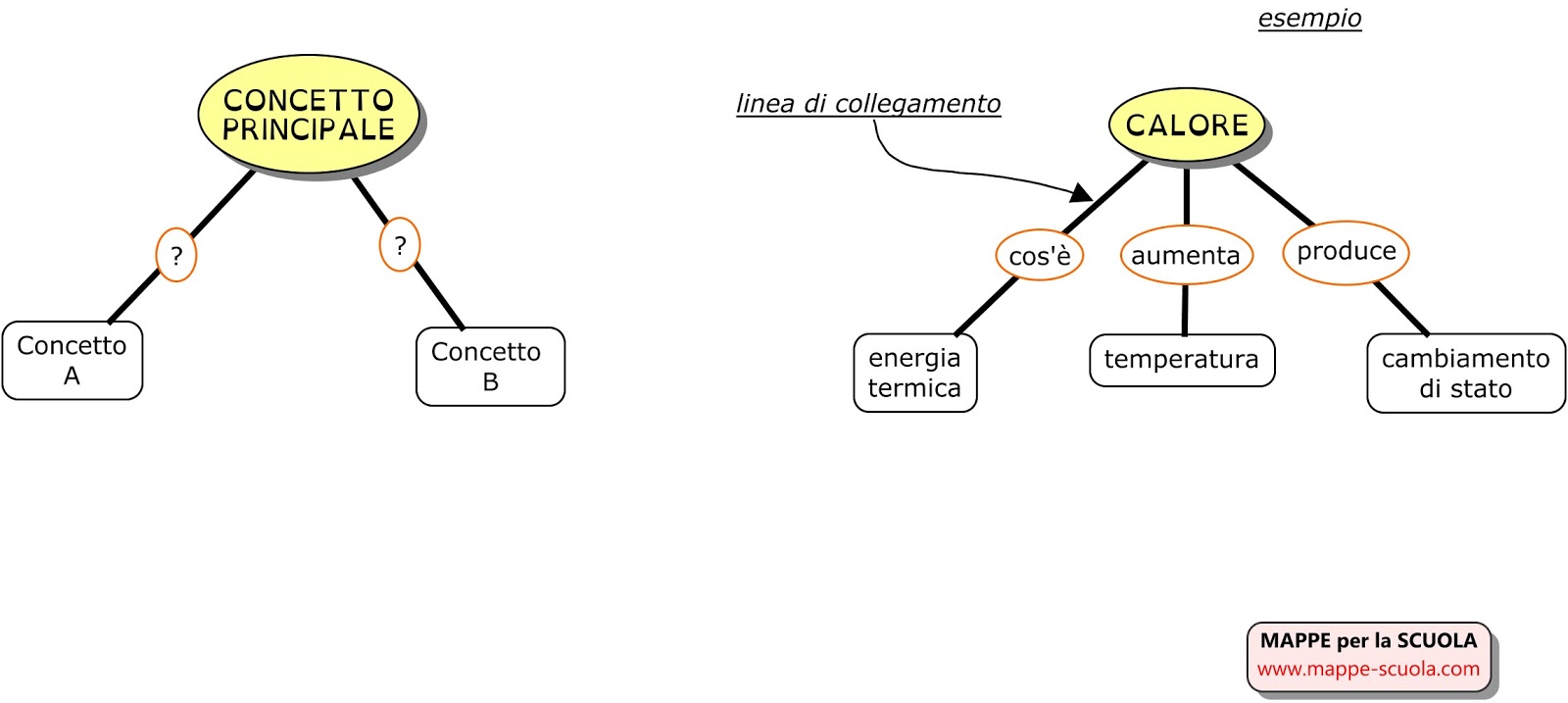
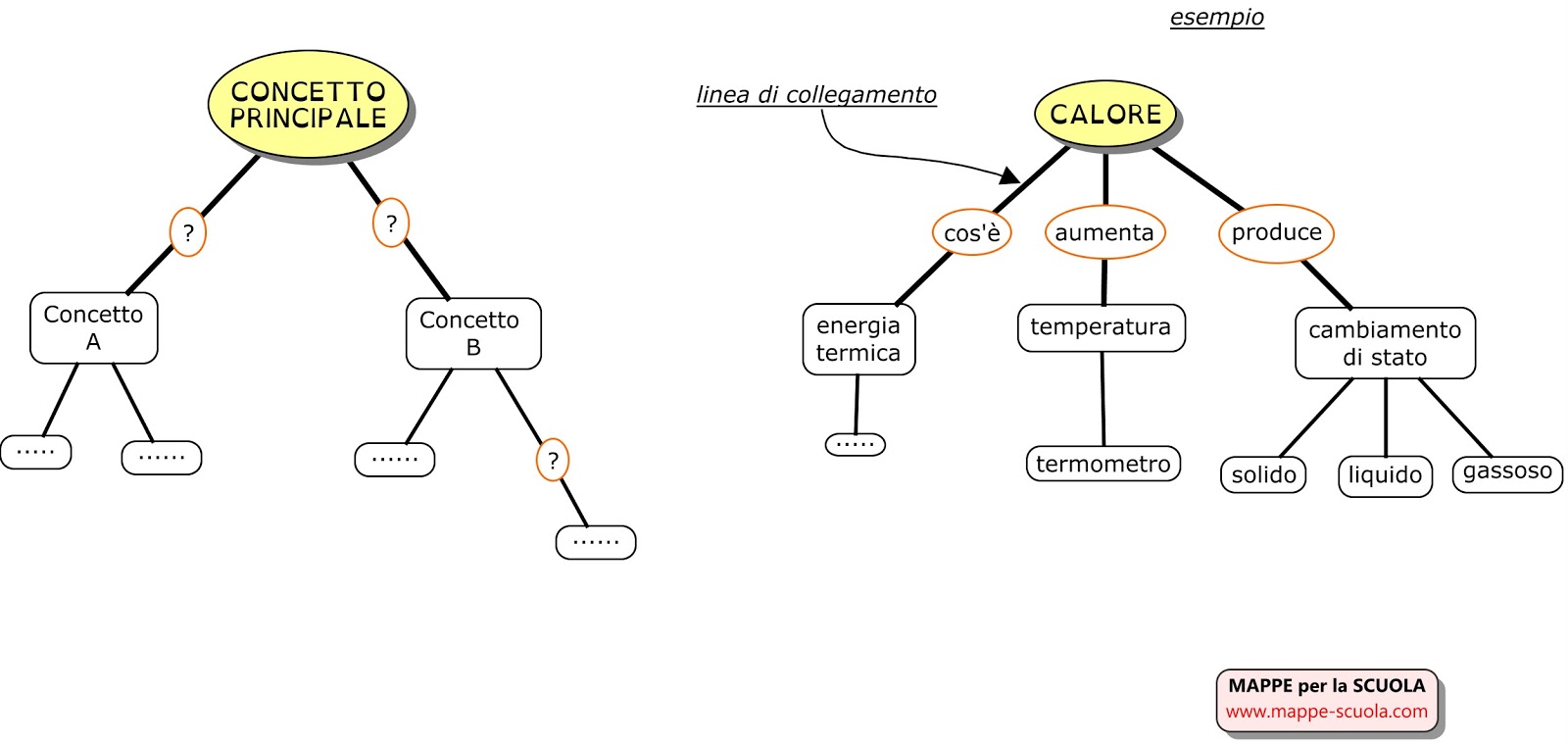
D) Highlight the most significant concepts and lines. Concepts can be emphasized with highlighters or larger font size, while for lines you can increase thickness.
E) If desired, in the concept map you can also differentiate the various sections of the topic, using different colors for the connecting lines and concepts.
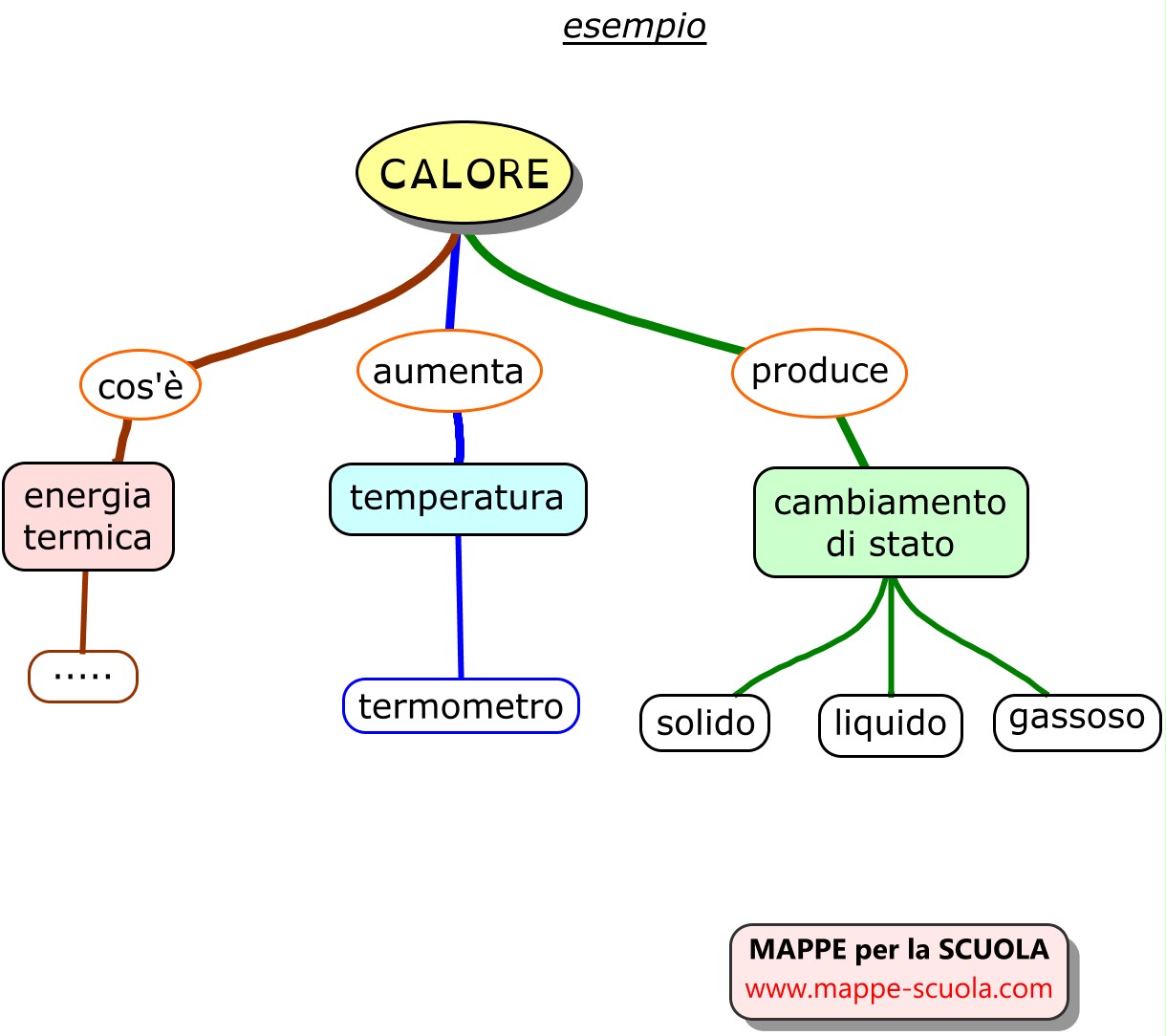
F) You can also connect concepts that are related to each other (with connecting lines of different colors or types).
G) To facilitate memorization, you can add images;
H) Finally, a revision and possible corrections and/or adjustments of the map are necessary.
HOW TO MAKE A CONCEPT MAP
In this VIDEO the difference between a concept map and a mind map is explained. The main elements of a map are listed. The educational use of maps and an example of a map created with CmapTools are shown.
Concept maps are “Tools for the representation of knowledge”, theorized by Joseph Novak.
In the construction and/or reworking of a concept map, each person is the author of their own knowledge path.
The map is a tool that falls within meaningful learning and contrasts with mechanical learning, which is considered a simple transfer of information.
A reasonable balance between the two ways of learning makes knowledge acquisition more effective.
While the ideal is the construction of a concept map created by a student alone or together with the teacher (educator, parent, etc.), also having ready-made maps available as a reference has a precise meaning.
An important point to consider is the feasibility of a path. Usually, apart from the initial enthusiasm (for maps with digital tools), after a short time children/teenagers abandon this learning method due to the effort and time required.
Even “building together” with the parent is an excellent solution, but there are few cases where the adult finds the consistency and time to dedicate to this activity.
Another aspect that gives meaning to ready-made maps is knowing that we also learn by observation, by copying what already exists. The child (alone or with the help of the adult) will have a ready-made map as reference, and can modify it (highlighting, adding or removing concepts), thus making it their own. This too is “building”.
Moreover, one can also study a topic in their school textbook alongside a concept map, which provides an overview of the topic.
Many teachers and educators, for a particular subject, use ready-made maps by explaining them, showing them on the LIM board, so as to make the overview of the subject understandable and possibly have students add content to the concepts.
On the website, often (those in PDF, almost all) each map is accompanied by a verification map, that is, the same maps with blank spaces to be filled with content. All this to facilitate learning.
Cattaneo Luigi
Professional Educator
It is an excellent free program that can be installed on your device.
In the latest version, it allows you to create concept maps and save them not only as images but also in PDF format.
Another good free program to install.
 I am a Professional Educator, currently working for the Social Services of Olgiate Comasco (Como) through the